Leading Digital Ecommerce Marketing Services Provider In Delhi

Uncategorized

How to Sell Products on Meesho

How to Sell Products on Meesho: A Complete Guide by Caasto

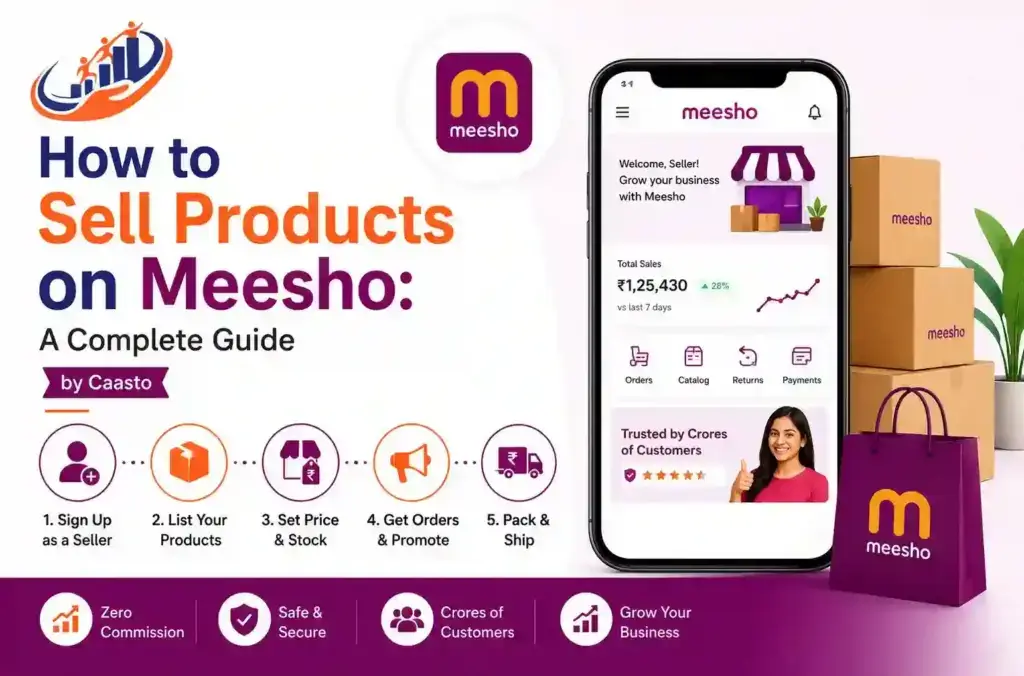
How to Sell Products on Meesho: A Complete Guide by Caasto Have you been trying to figure out how to sell products on Meesho? Then you’ve probably noticed that a lot of sellers have done it, and it seems to work. And yes, if there are thousands of homemakers, entrepreneurs, and enterprising individuals across India trying to use Meesho to make some money for themselves without buying a big old warehouse and staff, we can definitely help you do the same! Here at Caasto, we’re looking to show you what you need to do to make your time in Meesho fruitful without leaving you guessing as you stumble around in their labyrinth of options.   Why Meesho Has Become Popular Among Sellers Meesho is a zero-commission e-marketplace and reselling portal; it provides direct access for sellers and buyers to meet across India. If you are new to online selling, Meesho can be your preferred platform because it does not levy listing fees, unlike many other e-commerce platforms. Before becoming a supplier, one of the significant things that becomes important is to gain insight into how Meesho works. Basically, Meesho works by enabling sellers to list their products and shoppers or resellers to browse and buy items.   As the seller ships items, Meesho takes responsibility for the shipment, receives payment, and further credits the supplier’s account after bearing certain charges. One of the relatively simpler ways to learn how to earn from Meesho without using a store.   How to Sell Products on Meesho: Step-by-Step Process Right then let’s move to the next, and most important part of this guide, where we are going to talk about how to sell products on Meesho, right from the beginning, that is the registration, up till the very first sale, what are all the steps involved. 1. Register as a Seller Log on to the Meesho Supplier Panel website or download the Meesho Supplier application. Documents that you may need for selling on Meesho:   An active GSTIN (Goods and Services Tax identification number) A functioning bank account to accept payments A PAN card (permanent account number) General business details. After successful verification of your documents, your seller account will be activated. 2. List Your Products You will be able to access your listing, where you will be able to add catalog with product photos, price, sizes, descriptions and many more. One thing what most of influence number of orders for your product. 3. Set Competitive Pricing Price-sensitive marketplace is where Meesho stands out. Do a competitive product and price study, match with low prices, yet ensure a considerable margin in your business. It is one of the most vital factors for learning how to start a business on meesho successfully. 4. Manage Orders and Inventory After getting live on these platforms, orders will begin flowing into your Seller Centre. Now you would have to confirm each order, pack it securely and submit it to your designated logistician in stipulated hours. 5. Track Performance and Optimize Your Supplier Panel dashboard can keep track of your order trends, your returns, and what customers are rating you at, which is incredibly important as well. Keeping the catalogue consistent is also something that’s key to having a catalogue up for months and doing better than someone who puts in something huge upfront.    At Caasto, we’re frequently reiterating that our new sellers will realize that how to sell on Meesho for real is less about having one magical trick and more about actually making sure you have decent photos, reasonable prices, fast shipping, and your catalog gets refreshed.   How Meesho Works for Buyers and Resellers By seeing how the Meesho platform operates for the buyer, the sellers are also able to reach their customers more efficiently. Buyers will view the catalogs, make a purchase, and then pay the money using cash on delivery or by buying online. For a reseller, it’s as simple as forwarding the catalogs of these products onto their WhatsApp group or social network and then adding their own profit margin to the prices without holding any inventory.   How to Place Order in Meesho If you also use Meesho as a buyer or want to know the customer journey of the buyer, know here how to order on Meesho.   Browse and search in the Meesho app for the desired product. Choose the color, size, and quantity if needed. Click the “Buy Now” or “Add to Cart” option. Add or choose your delivery address. Select your preferred payment method—via UPI, card, net banking, or cash on delivery. Proceed to place your order. Knowing this process is helpful when, as a seller, customers will ask you for guidance when trying to place another order.   How to Change Address in Meesho App We have all had the instance of reaching out to suppliers requesting a favor; hence, it’s not a bad idea to know how to alter a Meesho address.   1. Log in to your Meesho account and head to your “My Orders” section (which is often found under your “Account”). 2. You have a couple of options from here if your order hasn’t yet been shipped: You can click on the individual order, and then there’s an option to edit the address before dispatch, or navigate to “Address Book.” 3. You will see an option to edit the existing address; either choose to edit and make changes or add a new address. 4. Update and save the changed address before your order leaves the seller’s premises.   Since an order cannot usually be changed after it’s shipped, buyers typically have to be fast.   How to Track Meesho Order People ask many sellers for information regarding order tracking on Meesho. You can read a concise description of order tracking methods for Meesho orders in the paragraph below:   Click on the “Meesho app.” Tap on the “my order” option available at the top right of the page. Click on the

How to Sell Products on Meesho: A Complete Guide by Caasto Read More »
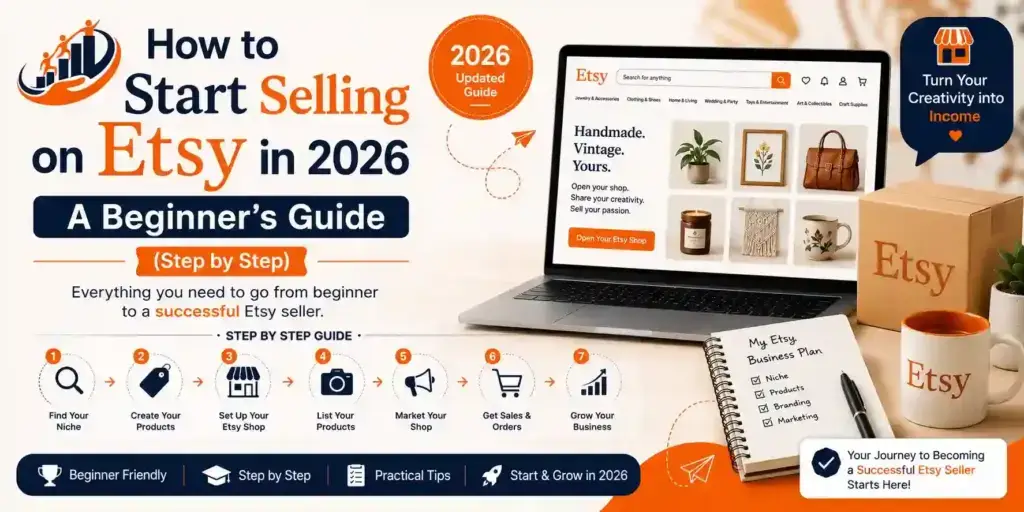
How to Start Selling on Etsy in 2026

How to Start Selling on Etsy in 2026 — A Beginner’s Guide (Step by Step)

How to Start Selling on Etsy in 2026 — A Beginner’s Guide (Step by Step) So you’ve been wondering whether and how to start selling on Etsy in 2026. You’ve made or hand-crafted some beautiful items, and you’re good at graphic design, or maybe you don’t know whether your art can ever earn you money. Well, the great news is: there’s no barrier to entry, and no business degree or huge capital sum necessary to open an Etsy shop. What you need is a product idea, a healthy amount of patience, and this very guide. We will take you step by step through starting to sell on Etsy from the start. What sort of things can be sold on Etsy? Before we can begin the selling process, it’s worth quickly getting this out of the way – because not everything is suited to an Etsy shop… Three distinct categories are permitted on Etsy: Handmade – you craft or create the item yourself (e.g. Jewelry, candles, clothes, artwork etc). Vintage – any items sold need to be at least 20 years old. Digital – a file, which you design, is available to sell on an ongoing basis (e.g. Templates, printables, SVGs, planners, etc). If you’re looking to sell an item that can fit into one of these criteria, you’re well and truly at the right place. How to Start Selling on Etsy: A Step-by-Step Shop Setup Guide Step 1: Create an Etsy Account Head over to etsy.com and sign in. Or, if you’re new to Etsy and wondering how to start selling on Etsy, click “Register”. You can create an account with your email, Google account, or Facebook account.   Once you’re logged in, click on your profile icon and select “Sell on Etsy” to begin setting up your shop. Step 2: Set up your Shop Preferences Etsy will prompt you to answer a few simple questions: Shop Language (Select English for the best reach) Shop Country (Select India) Currency (You can keep this in USD as the main audience is from US/UK) This part takes only two minutes, and you can always adjust these settings later on. Step 3: Choose your Shop Name This is where people can get really bogged down. Just pick something: Rememberable and easy to spell Relevant to what you’re selling (it doesn’t need to be hyper-literal) Between 4-20 characters long, no spaces allowed Etsy will immediately let you know if your chosen name is taken. If it’s not available, don’t stress. Try adding a “studio”, “co”, or “shop” to the end of your desired name. Step 4: Create your first listing This is the most crucial part of setting up your Etsy shop. Your listing is what potential customers see and interact with, so make sure to give it your full attention. A good listing includes: Clear and sharp photographs – preferably taken in natural light against a simple background. Multiple angles are always a good idea. Photo quality is the biggest deciding factor for customers whether or not to buy your item. A strong and keyword-rich title – think about the terms people would use to search for your product on Etsy. For instance, “Personalized Name Necklace – Gold Sterling Silver” is far more effective than “Pretty Necklace.” A detailed description – include information about size, materials used, exactly what’s in the package, and an estimated shipping time. A fair price – consider your time and effort, cost of materials, Etsy fees, and shipping costs when setting your prices. Don’t sell yourself short! Tags – You are allowed to use up to 13 tags per listing. Use all 13 and try to think of all possible searches that someone looking for your product might perform. Step 5: Set up Payment and Billing To start receiving payments for your sales, you need to connect Payoneer to your Etsy account. This is the only payment gateway for sellers in India. Etsy will deposit your money into your Payoneer account, and then you can transfer your funds to your local Indian bank account.   To pay for Etsy’s listing fees and other charges, you’ll need an international credit or debit card. Visa and Mastercard are usually accepted. Step 6: Open your Shop! Once you’ve finished setting up your payment and billing details, and have created your first listing, just hit “Open Shop”! You are now an official Etsy seller. How To Sell On Etsy – Tips that Work Just the store being set up doesn’t mean much when learning how to sell on Etsy. Selling actual items is a whole separate beast, though. These are tips that will determine whether you sink or swim: Your Photos Mean Everything Since buyers can’t physically touch or feel what you’re selling on Etsy, they rely entirely on the photos that you have to make purchasing decisions. Spend time and money on quality pictures. You don’t need a high-end camera for this; your phone will work perfectly with decent lighting. Think Keywords from the buyer’s, not the seller’s perspective Don’t titrate your listing by the name of your product. Instead, think about the words that the buyer will be searching for in their browser. Incorporate those terms into the title, description, and tags of your listing. Price Appropriately This is a problem for so many sellers new to Etsy; they will be in competition for cheaper products and underprice what they’re selling to compete. This strategy actually works against you; buyers will attribute the low prices to poor quality items. Figure out what your actual costs are and add a respectable profit margin to that. Be consistent The best sellers on Etsy are not always the most talented ones, they are generally the ones who don’t give up. Continuously add items to your shop and regularly update them. Likewise, quickly answer any questions that come to your inbox. Active Etsy shops perform better in search results.   If all of this feels like a lot to manage on your own,

How to Start Selling on Etsy in 2026 — A Beginner’s Guide (Step by Step) Read More »

Is Etsy Available in India Shipping, Delivery, & Buying Guide (2026)

Is Etsy Available in India? Shipping, Delivery, & Buying Guide (2026)

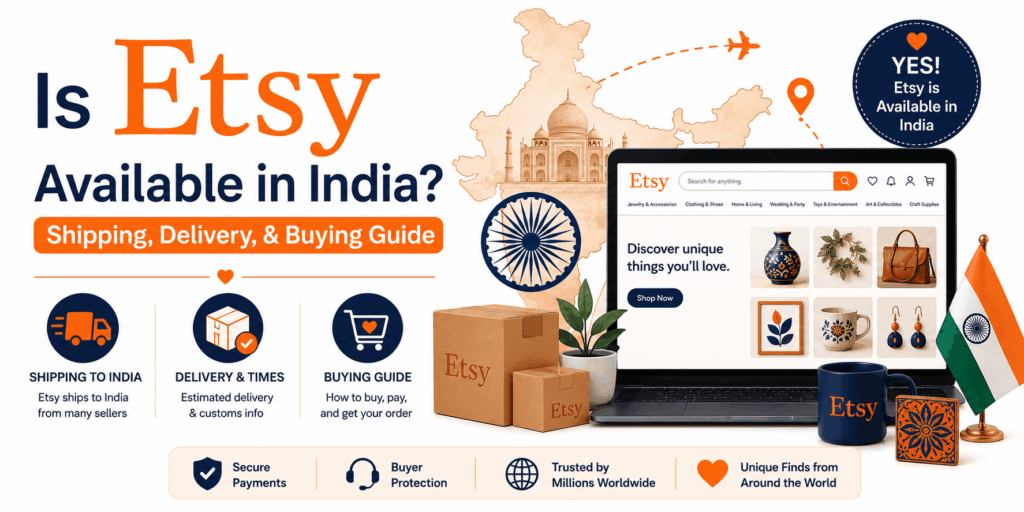
Is Etsy Available in India? Shipping, Delivery, & Buying Guide (2026) You’ve found a phenomenal piece on Etsy and you’re thinking: will this even ship to India? Or have you only heard about Etsy without actually knowing if it works here in the first place. You are not the only one. This is one of the biggest questions that Indian buyers face, and let’s cut to the chase: Is Etsy available in India? Yes, Etsy is available in India. You can create an account, shop on the website, and place your orders. There is no special Indian app or version of the site, either – just the standard international one that operates in 90+ countries worldwide. Both a phone and laptop will load the Etsy website just as you would expect from any other online shopping platform. The one factor to consider is that many of the Etsy sellers are based outside of India (mainly US, UK, and other European countries). Therefore, anytime you make a physical purchase, you are shopping internationally. If you are also thinking about selling on Etsy from India, a professional Etsy account management service can help you set up and run your shop the right way — without the guesswork. Does Etsy ship to India? This is where it gets tricky, and frankly, relies on the seller. Etsy does not ship products itself, rather, each seller is responsible for packaging and shipping their own goods. So, whether or not your order will make it to India is entirely dependent on whether the individual seller has indicated they ship worldwide. This is how this will work in reality: Some sellers will ship to India (they will have India listed in their destinations) Some sellers do not ship outside their own country (you will notice a notice to say they do not ship to your location) Digital items always have no shipping (they are automatically sent to your inbox) Therefore, as soon as you find an item you absolutely must have, just look to the shipping information on the product page. If they ship to India then you will be fine. Does Etsy Ship to India – Delivery times? If the seller does ship to India then this is what you can expect: Shipping Type Estimated Delivery time Standard International 2 – 6 weeks Expedited / Express 1 – 2 weeks Digital Items Instant (you will receive via email) Unfortunately, international shipping can be quite slow and it just cannot be helped when an item has to make its way from the US or the UK to India! Therefore, be sure you will not need anything on a particular date; especially if the event is very close. Additionally, be aware of customs duties. Indian citizens sometimes have to pay for the import tax when purchasing something from overseas, this charge will then be payable by the buyer. Purchasing from Etsy in India: Step-by-Step Guide If you’ve never purchased anything from Etsy before, here is what you have to do: Step 1: Sign up for a free account Go to etsy.com and sign up with your Google account or e-mail. It should take you less than 2 minutes to do this. Step 2: Search for what you need Type what you want into the search bar on top. You can use several filters such as price, location, shipping method etc. To narrow down your search. Step 3: Check the shipping information Scroll down on any item page to see if they ship to India. Check for estimated delivery time and shipping price as well. Step 4: Add to cart and checkout Etsy accepts international credit and debit cards (Visa, Mastercard) and also PayPal. Indian credit and debit cards are usually accepted. Step 5: Track your package After your order is shipped, you will receive a tracking number which you can check from your Etsy account to track its status. That’s about all there is to it. It’s pretty simple and isn’t too dissimilar from buying on Amazon, except it’ll take a longer time for your package to arrive. So what exactly can one purchase on Etsy in India? For a variety of different reasons, Etsy India caters to a wide range of customers. Below are some of the categories that are extremely popular with Indian buyers: Digital products (Canva templates, resume designs, wedding invites, planners, printables, etc) Personalised gifts (personalised name jewellery, engraved accessories, photo gifts etc) Home decor (handmade pottery, wall art, macrame decor) Wedding supplies (wedding invites, wedding decor, bridesmaid gifts etc) Art and stationery (illustrations, art prints, notebooks etc) So, in short, if you aren’t in a hurry and are willing to wait for international shipping, you’ll surely find a variety of products you won’t find in India. Is It Worth Buying from Etsy in India? Truthfully? It really depends what you’re buying. Digital products – yes definitely! You get instant access, no shipping fees, and the sheer variety is huge. All those digital planners and canva templates being used by designers, bloggers and small businesses from all over India, are mostly from Etsy. Physical products – it’s worth it if you’re searching for something unique and customisable, and something you probably wouldn’t find at a local store. Just remember to calculate shipping and also keep in mind that it may take time for delivery. A key tip is to always check the seller’s reviews. The review system in Etsy is quite reliable and can save you a lot of headaches by telling you if the seller is genuine or not. Some Things to Consider Before You Order Not all sellers deliver to India-check this before falling in love with a product Shipping fees can be very expensive-sometimes more than the price of the product for small items Customs duty may be charged-for physical products over a certain value No such issues with digital products-instant delivery, no extra fees and no waiting. Ultimately Etsy can be useful in India. It’s easy to find what

Is Etsy Available in India? Shipping, Delivery, & Buying Guide (2026) Read More »

What is Etsy? Everything you need to know before buying or selling on it.

Etsy, what is it? Everything you need to know before buying or selling on it.

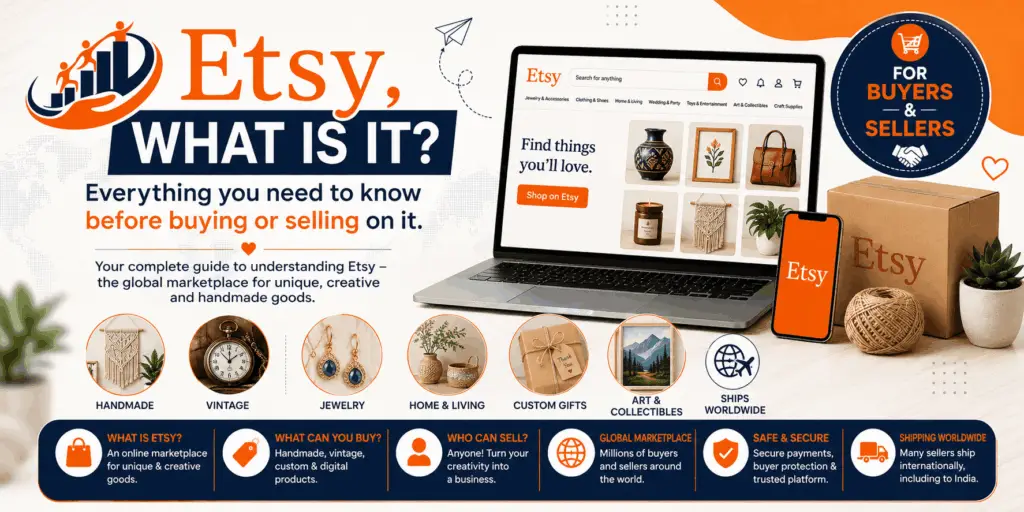
Etsy, what is it? Everything you need to know before buying or selling on it. If you have searched for handmade jewelry, unique gifts or digital templates online you are very likely to have encountered Etsy on your screen. However many people seem to be confused about what Etsy is, if it works in India and even if it is safe to use.   Let’s explain this in simple and clear terms. What is Etsy? Etsy is an online market place that is very similar to Amazon or Flipkart with one crucial difference – everything sold on Etsy is handmade, vintage or creative, it does not cater to mass-produced factory items. Etsy was first launched in 2005 in the U.S and now has over 90 million buyers in 90+ countries. Below is some of the type of items you can find on it; Handmade jewelry and accessories Personalized and custom artwork and portraits Wedding decoration and stationery Digital goods like Canva templates, planners, printables etc. Vintage items (items over 20 years old) Simply put – Etsy is a website that creative individuals from around the world use to sell their creations. What’s an Etsy Shop? Just as buyers have a separate buyer account on Amazon, the seller account on Etsy is called an Etsy shop-your individual presence or store on the website. You can: List your products with images, descriptions, and prices. Allow buyers to place custom orders. Chat directly with customers before and after a sale. Get product reviews from customers to build a reputation. Personalize your shop with a banner, logo, and shop bio to build your brand. Whether you are sewing, painting, designing graphics, or writing, an Etsy shop allows you to transform your talent into an income generating venture. What’s Etsy India? This is an issue where a lot of users seem to get confused. There is no ‘Etsy India’. Etsy is a worldwide platform accessible to all, just the same as in any other country. In India, using Etsy enables you to do two things-purchase products from global sellers from around the world or set up a store of your own to sell products worldwide. You can also choose to sell digital goods which would not need to be shipped and would bypass customs completely. Though, yes, some considerations would have to be made regarding payment methods and currency conversion, generally Etsy caters completely to both Indian buyers and sellers. Is Etsy legit? Absolutely. Etsy is a publicly traded company based in America – and is traded on the NASDAQ stock exchange under the ticker symbol “ETSY.” This isn’t some fly by night website that you stumbled upon. Here are a couple of things that ought to settle your mind:   In business since 2005 – which is 20 years of service 90 million+ active buyers in the world A secure payment method in place – Etsy uses its own payment gateway A buyer protection policy – so should the worst occur, you can receive a refund Thousands of Indian sellers are already successful running businesses from this platform So if you were wondering if Etsy was a scam – then it really isn’t. It is considered one of the worlds most trusted creative marketplace. Is Etsy Safe? This question can be answered best when viewed from two different perspectives – buyers and sellers.   Buyers: Uses SSL encryption – so your details are always secure. If the item doesn’t turn up, or looks nowhere near what you were promised, Etsy’s Purchase Protection provides buyers with a full refund. You can even read reviews from previous customers – so you have a good idea who you are purchasing from. Sellers: Payouts are made through Payoneer or a direct bank transfer – both extremely reliable methods in India. Clear seller guidelines and policies that protect sellers from unfair arguments. For the inevitable unfair review, fake buyer, or fraud – the seller support staff is available to assist you. The take away message: Etsy is indeed safe, providing you apply a modicum of common sense when you buy. Read the reviews, check out the seller’s rating, and everything will be fine. Is Etsy Free to Start selling on? It is entirely free to open a shop (buyer and seller) on Etsy. When it comes to selling, here is the current fee structure:   Fee Type Price Listing Fee $0.20 per listing (approximately 17p) Transaction Fee 6.5% of your total sale Payment Processing About 3% + $0.25 per sale Now, don’t close this tab, the above is not meant to scare you. Especially if you are selling digital products (templates, printables etc.) your costs will be considerably lower with zero shipping.   And most importantly, you pay the listing fee ($0.20) once upfront, and all the other fees (transaction, payment processing) will only be incurred when you successfully sell your item. So, if you are just starting, the financial risk is quite minimal. So, Is it Worth Starting on Etsy? If you…   have a creativity skill and wish to monetize that skill, wish to work from home and want to have control over your time, wish to generate a passive income for yourself, wish to have a bit of international market, and much more…   Then you may go ahead with Etsy as there lies an actual scope of income there. You may find so many people from India selling dollars, and succeeding in International market on Etsy. Getting started is also very simple and very cheap. And if you need help setting things up or don’t know how to start then you can avail professional Etsy account management services.

Etsy, what is it? Everything you need to know before buying or selling on it. Read More »

Create a Meesho Seller Account

How to Create a Meesho Seller Account

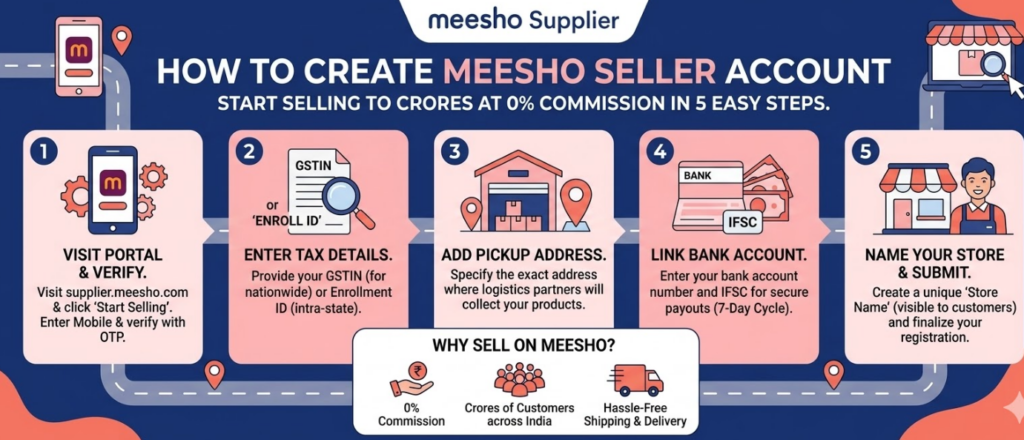
How to Create a Meesho Seller Account You can sell things quickly, affordably and easily using Meesho. It’s a straightforward task without having to do anything difficult. This guide will explain, in detail, how to set up a Meesho Seller account and how to benefit from having good account management with your seller account. To create a Meesho Seller Account you will need to follow these steps. The Procedures for Creating an Account Will Be Simple. Please Follow the Steps Below One Step at A Time. What To Have Available Before You Start You Will Need to Have the Following Available to Set Up Your Seller Account with Meesho: Your mobile your email GSTIN Pan Bank Account, Your Pickup Address. Not Having or Incorrect Information Will Delay Your Approval Process. Step 1: Go To Meesho Supplier Panel Go to https://supplier.meesho.com Click on the New Seller, Start Selling Button. This will begin the Meesho Seller Registration Process. Step 2: Create A Seller Account Enter Your Mobile, receive the OTP to verify. Create Email and Password. Now You Have Your Login Set Up. Step 3: Enter GST Details Your GSTIN must be entered Verify your Details Verify Your Name and Commercial Address If Your Name or Your Address Do Not Match Your GSTIN#, You Must Correct Those Errors. This Is One of The Most Important Steps in Managing Your Seller Account Effectively. Step 4: Fill Out Business Information Business Name Store Name Pickup Address Make sure accurate information is provided here as it affects your shipping and operation. Step 5: Provide Banking Information Account Holder Name Account Number IFSC Code Payments will be deposited here so errors may cause delayed payouts. Step 6: Complete KYC Requirements Please upload required documents: PAN Card Aadhaar Bank Proof Approval typically takes 1-2 days. Step 7: Access Seller Dashboard Once approved, you will gain access to the seller dashboard for Meesho. This is where you will conduct your business. Step 8: List Your First Product The way you list your first product will determine how many sales you will make. For each product you list make sure to include: High quality images Clear product title that includes keywords Correct product Category Price and any variations of the price Example: Poor Listing: “Shirt” Good Listing: “Men’s Cotton Casual Blue Regular Fit Shirt” If strong listings are created initially to reduce the work that will need to be done later to support your Meesho seller account. Step 9: Set Smart Pricing When pricing your products, include: Cost of your product Meesho’s commission Your profit margin Start with a slim profit margin: Gain initial orders Build your rating Increase your prices later Step 10: Receive & Ship Order Receiving and shipping orders is a simple process: You receive an order Package the product Print the shipping label Shipping provider picks up the order Meesho takes care of delivery. Step 11: Focus on First Order Your first order(s) are important to establishing your track record as a seller. To do this: Ship your order on time Do not cancel orders Maintain your inventory stock Make sure product quality is high This will help establish your trust level with customers and improve your ranking. Step 12: Track Your Payments & Reports Payments are made to sellers every 10 business days Keep track of your payments Key Mistakes to Avoid Incorrect GST Information Low Quality Product Images Overpricing From the Start Delayed Shipment Failing To Accept Returns Resolve These Before They Create Issues with Your Account. Meesho Seller Account Management Concepts If You Want to Grow, Check These Out: Daily Product Uploads Maximize Product Title Keywords Use Quality Product Photos Have Competitive Pricing Ship Products Quickly You Achieve Results By Maintaining Consistency. Meesho Seller Growth Strategy Start Out Simple: Have 10-20 Products Listed Try Many Different Categories Monitor Sales of Each Product Develop an Expansion Plan for Products That Are Selling Continue Doing What Works, Stop Doing What Does Not Work. Be Realistic Setup Takes 1-2 Days Initial Orders May Take 1-3 Weeks Growth Is Dependent Upon Consistency There Are No Shortcuts; There Is Only Execution. Final Thoughts You Can Start Selling Meesho Without a Large Investment, But You Need Good Procedures and Take Daily Action. Take These Steps to Enhance Your Listings and Be Consistent. A Strong Meesho Seller Account Management Program Can Lead to Steady Income and Long-Term Success as A Seller On Meesho. Remember, Start Rapidly and Expand What Works.

How to Create a Meesho Seller Account Read More »

Why your amazon sales not increasing

Why Your Amazon Sales Are Not Increasing (And How to Fix It)

Why Your Amazon Sales Are Not Increasing (And How to Fix It) Many sellers create an Amazon account with big hopes and upload products, run ads to promote those products but have low sales. Many small store owners will face this same issue. The product is not always the problem; many times, small mistakes can stop you from growing. Let’s put it in simple terms. 1. Your Product Listing Is Weak Customers cannot touch your product when they purchase it online; they will see a photo of the product and the product description when they are looking at your product. If your title is too short, your images are not appealing, or there is confusion in the description, your customer will leave the page without purchasing your product. Having a good listing creates trust in your listing to help create trust in your product for customers who purchase your product. Good Images will give your customers a true representation of the product. Good Titles will provide better search capabilities. Good Bullet Points will provide your customer with how to use your product. Make Sure You: Add clear white background to each image of your product. Use all image slots available for your images. Use simple words in your description. Explain the use of your product, the sizes available and the color options available. Add the keywords to your title. If you want to sell your products wirelessly, make sure that you have your e-commerce list made strong. 2. Ads are being run, but money is falling down the drain. Many sellers run ads every day and are spending lots of money on ads, but they’re not getting orders. This is due to not being able to properly manage ads. They have: Incorrect keywords → Ads reach incorrect target audience Bid too high → Money wasted No product reviews → Consumers have no faith Few clicks → Few sales To fix it: Make sure all keywords are correct Set a low budget and use that until they find products that sell Remove incorrect keywords Concentrate on selling products You should perform a daily check on your ads; never run the ads and not check them. 3. Low click through rates (forming CTR) Customers can search for your product online. They look at it, but they do not click on it. This creates a low CTR (low click-through rate). The low CTR means that customers do not think the product you have is as appealing compared to other products. The majority of reasons are: Poor main image High price of item Incorrect product title Low rating Things to Fix: Use bright and colourful images Show customer how to use product Make pricing competitive with competitors Provide a discount/coupon Use keywords in product titles 4. Higher CTRs result in more visitors, and ultimately increase the number of sales. No Customer Reviews or Negative Reviews Current Buyer Behavior Consumers trust what they see. If your product has no reviews, they will feel anxious or unsure of their purchase. Likewise, if there are negative reviews, they will leave the website prior to making a purchase. Actions to Resolve This Issue: Provide a quality product. Pack the product well. Deliver the product quickly. Make a polite request for feedback from customers. Respond to customer related issues quickly. Happy customers create positive reviews. Positive reviews create repeat customers. 5.Out of Stock When you run an advertisement on your product, someone clicks the link and sees the product as being “out of stock.” They leave and the product moves down in rank. As a result, you lose sales. Out of Stock is a significant loss. Your product ranking on Amazon decreases. Money is wasted on ads. Actions to Resolve This Issue: Check inventory at least once per week. Order inventory early. Keep a buffer of extra product. Suspend ads if you do not have much inventory available. Example Ramesh has been selling stainless steel water bottles with everyday ads but has only had 2 sales in a week’s time. His product listing has been reviewed and he recognizes that his images ar too dark, his title is too short, and he has no product reviews; therefore, he updates his images, adds all relevant information, and improves his shipping materials. He also uses a different set of keywords in his ads that are relevant to his product. At the end of his first month after these changes, he has over ten sales per day. A few small changes resulted in a very positive outcome. Why Seller Need Ecommerce Account Management Services Many sellers attempt to do everything for their business themselves, leaving them feeling lost as Amazon has frequent changes to rules; therefore, they need help from others to better their businesses. Daily work is required for advertisements and it is also important that listings are frequently updated, along with taking care of reviews. There are e-commerce account management services that can help assist sellers with growing their businesses by checking the seller’s account, fixing issues with their listings, managing ad campaigns, improving rank, tracking inventory and providing guidance so they know what step to take next. Caasto can help sellers to grow revenue by using the proper methodology – We check your listing performance We intelligently manage your ad campaign We help increase your click-through ratio (CTR) and conversion rate We will help you avoid running out of stock We will help you to build long-term sustainable growth. Take Action Steps Today Check your primary product image and improve it Update your title with the right keywords Stopping wasting your advertising budget on unproductive search terms Focus on selling products that will sell well Maintain your stock levels Give reviews great importance. Take Action Now—don’t just wait for it to happen by itself. Free Amazon Account Audit If your sales have stagnated, seek out expertise in this area as it could be damaging to your company due to a small misstep potentially limiting your growth. A Free

Why Your Amazon Sales Are Not Increasing (And How to Fix It) Read More »

Seller account suspended

Seller Account Suspend and How to Activate It

Seller Account Suspend and How to Activate It Many small business owners can earn money from online sales at sites like Amazon, Flipkart, Etsy, or Walmart. However, it is possible for an account to be suspended at any of these sites so that you cannot sell products through it anymore and you may even have your payments put on hold as well. This can sometimes be stress-inducing for anyone who loses their seller account. There is no need to panic, as the majority of seller accounts that are suspended can be reinstated by taking the appropriate measures. What is an account suspension? When an account is suspended, it means that all selling privileges with that marketplace have been removed. Your products will no longer be visible to customers, and they will be unable to purchase from you. There are a number of reasons that the marketplaces will suspend accounts; typically they do this to protect consumers from bad products, poor shipping, and dishonest sellers. Reasons that a seller’s account can be suspended. Late Shipments cause issues. Too many order cancellations are a potential risk. Too many bad customer reviews. Selling counterfeit/knockoff items will get you suspended. Not listing your items accurately (according to the platforms rules). Using other seller’s branding. High Return or Refund Rate will also possibly trigger suspension. Many things can lead to account suspension and there are many reasons for account suspension, including small mistakes leading to large issues. Make sure that you read and understand all of the marketplace selling rules. Step 1 After Getting Suspended Read the email that states you’re suspended from the platform thoroughly. Know why you’ve been suspended. Do not send emails/contacts to the platform in anger. Do not create a new account, as this will only complicate things more. Keep a level head and think rationally; you can change this! How To Get An Account That Is Suspended Reactivated 1. Find Out What The Cause Was Look at the orders you have made, returns made and feedback given to you by customers. See what you have done wrong. Look for the mistakes that caused your account to be suspended. Was the shipping delayed? Was the product quality bad? Was the listing incorrect? 2. Create A Clear Strategy List out what you have done wrong and how you are going to change them (Where applicable) Improving packaging Shipping items on-time Using actual product images Updating descriptions accurately Hiring someone (if needed) 3. Write An Appeal Letter Explain to The Platform the following 3 things: What went wrong What you did to correct what went wrong What you will do in the future to prevent this from ever happening again Keep it simple, make sure to use words that are easy to understand, and be open and honest about what happened in your situation. 4. Upload Proof Provide the platform with proof in the form of invoices, tracking numbers, and/or supplier bills. Prove that you have real products. Prove that you have changed your processes. 5. Be Patient Expect the same length of time it took to get suspended to pass before receiving a response from the platform, as it took to get suspended. Don’t bombard the platform with multiple emails in a single day. Wait for a response from the platform and follow the instructions provided to you. Short Example Ravi was an online seller of mobile phone cases. Unfortunately, during the busy holiday period, he received many shipments late, prompting customers to complain, resulting in the suspension of his account. Ravi evaluated his process, switched to a new courier, shipped orders more quickly, and then wrote an appeal letter that explained what he had done to fix the problem, after which his account was reactivated one week later. He is now shipping orders on time and receiving good reviews. How ecommerce experts can help Many online sellers do not know how to prepare appeal letters and are often confused about what to do next. E-commerce account management services will work with you to resolve your account issues. Experts will evaluate the health of your account, determine the actual cause of your issues, and prepare a strong appeal letter for you. They will also provide step-by-step guidance on how to resolve your issues. Good e-commerce listing services also help prevent account suspensions. Properly constructed titles, images, and descriptions for your products will significantly reduce customer complaints. More accurate listings will also help reduce the number of returns and improve your customer ratings. At Caasto, we work closely with sellers to help them with their accounts once they have been suspended. We will help you understand the issue, prepare the necessary documentation, prepare an appeal letter, improve your product listings, and support you until your account is reactivated. Avoiding future suspension Make sure you ship all orders in a timely manner. Utilize high quality merchandise. Respond to buyer messages promptly. Maintain a low return rate. Comply with all marketplace rules and regulations. Maintain accurate stock quantities at all times. Never post counterfeit merchandise. Good daily habits will save your selling account. If you have been suspended from selling on Amazon, do not delay in addressing it. Determine what caused the suspension. Permanently resolve the issue. Submit a detailed appeal. If necessary, consult with qualified professionals. Making money selling online can have a major impact on your financial situation; therefore, do not allow a suspension to inhibit your growth potential — take corrective action to repair your business and return to selling confidently. Looking to Boost Your Sales? Let’s Talk.

Seller Account Suspend and How to Activate It Read More »

How to Establish a Walmart Seller Account

How to Establish a Walmart Seller Account, Plus The Best Service Provider For Walmart Onboarding – Caasto

How to Establish a Walmart Seller Account, Plus The Best Service Provider For Walmart Onboarding – Caasto Walmart is a massive retailer in both the US and several other countries, and millions of people shop at Walmart online daily. If you live in India, you can sell on Walmart and earn in dollars! Many sellers feel that it’s too complicated to create an account; however, it is actually pretty straightforward when someone helps you.To create a Walmart seller account and get started with Caasto for the Walmart onboarding process, use this guide. What Is Walmart’s Marketplace? Walmart’s Marketplace allows third-party businesses to sell their products directly on Walmart.com, to customers who already shop there. Walmart thoroughly vets each seller prior to approving them as a Marketplace vendor; therefore, not every seller will be able to sell on Walmart. However, sellers that are approved by Walmart can expect high sales volumes.The Walmart Marketplace is a fantastic option for sellers wanting to provide high-quality products and expand into other markets worldwide. Essential Documents Needed To Create a Walmart Account Prior to starting the process, you need a few essential documents. They are: 1. Your business registration information 2. Your GST/tax registration number 3. Your bank account information 4. Your list of products 5. A website or other online presence 6. Your ability to ship internationally. With these documents readily at hand, you can expedite the process to create your Walmart account! How to Create Your Walmart Seller Account in Easy to Follow Steps 1. The first step is to go to the Walmart Marketplace seller registration page. 2. Next, you will need to complete the required business information sections accurately. All information is thoroughly checked by Walmart. 3. Once you submit the business information, you will then provide additional bank and tax details. This step is crucial since the bank account will receive any payment made by Walmart. 4. Next, you will upload the items you intend to sell as well as any business documents that are required. 5. Walmart will then review your application. This process may take several days to complete. 6. Once approved, you can now begin posting products for sale. Many sellers may give up here because of the rejection process due to missing/unprofessional required details on their application. Example for Clarity A seller in Delhi wanted to sell kitchen items via Walmart in the U.S.A. He tried to create the apply for the account himself twice and was rejected each time. He sought the help of Caasto and they assisted him by reviewing his documentation, correcting his product data, and providing professional guidance. As a result, Caasto assisted him in getting his Walmart seller account approved upon his next attempt. The case above reinforces the benefits of seeking assistance from a professional when establishing one’s seller account. Reasons Why Walmart Rejects Seller Applications Walmart wants only reputable sellers. A few of the more common items that cause sellers to be rejected are: Incomplete business information Weak product data Not having a clear shipping plan Not having an online presence Submitting the wrong documentation All of the above issues can easily be avoided by utilizing the correct type of guidance or by seeking assistance from a professional. How Caasto Helps Sellers Get Onboarded to Walmart Caasto makes it easy for sellers to get onboarded into Wal-Mart!. Caasto provides: Eligibility Check for sellers Formatting the documents properly Application Form Fill out properly Guiding on which products you can sell Set up your list after you’ve been approved Helping with compliance and account safety issues The Caasto team explains the different steps in simple terms so that sellers understand what’s going on. Why Is Caasto Better than any Other Walmart Service Provider Caasto has only seller success in mind! The focus is not on account setup but on continued success for the seller! Sellers choose Caasto because: Simple process Trustworthy guidance Straight forward and open communication Experience on global marketplaces Support after the account is approved Caasto treats your business as if they were your partner not just as a customer. Completing your Account Setup – What’s Next? Having received your account approval is only half of what is needed before you can start selling on Walmart. After you have completed the onboarding phase, you will require: Optimizing your product listings Pricing assistance Inventory Management Order Processing Support Account health monitoring. Caasto assists sellers throughout their entire seller journey to reduce errors or mistakes during their seller journey. To Summarize Creating a Walmart seller account gives Indian sellers huge potential to reach buyers worldwide and make more money. Do not attempt to create an account through random methods, but instead do so in accordance with the process. To create a smooth buyer experience on Walmart, contact Caasto today to ensure that your account will be set up successfully for selling globally. Looking to Boost Your Sales? Let’s Talk.

How to Establish a Walmart Seller Account, Plus The Best Service Provider For Walmart Onboarding – Caasto Read More »

How Much Flipkart Charge From Sellers

How Much Flipkart Charge From Sellers

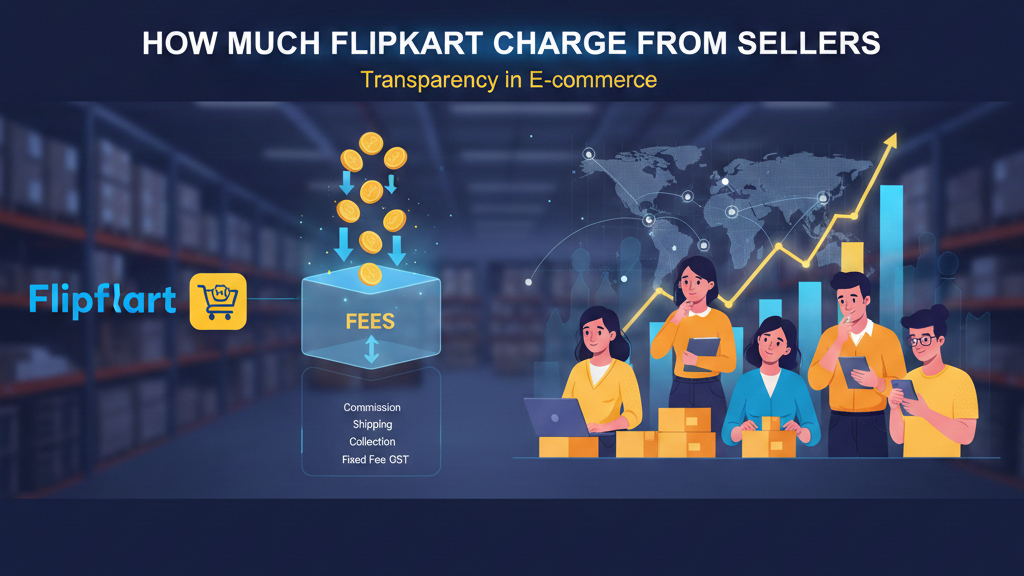
How Much Flipkart Charge From Sellers Many individuals wish to sell products on Flipkart, but often have a singular question – ‘What is the fee charged by Flipkart for selling products?’Flipkart does not charge any fees for registering their seller accounts; however, once you start selling products on their platform, Flipkart charges various fees based upon the type of product sold. All listed fees are dependent upon the price of the item sold, the product category, as well as how the item is shipped or delivered.Let’s break these types of fees down, step-by-step. Why do people use Flipkart? There are many benefits to using Flipkart as a shopping platform in India. People choose to use Flipkart because: Millions of people shop through Flipkart on an everyday basis The seller dashboard is easy to use Flipkart has an extensive delivery network across India Flipkart supports new sellers on their platform, by providing various promotional opportunities Flipkart provides both Fulfilled by Flipkart (FBF) and Non-FBF options to sellers. Flipkart has helped many small sellers reach large customer bases. What Type of Fees are Charged to Flipkart Sellers and What Other Costs do Sellers Pay? Flipkart seller fees are the fees charged/retained by Flipkart while you are selling products on their platform. Flipkart sellers pay the following types of fees or charges: Commission Fee Shipping Fee Collection Fee Fixed Fee GST on Fees All listed fees above will only be applied during the time of an order placed through Flipkart. Breaking Down Flipkart Seller Fees Let’s simplify how to classify seller fees on Flipkart. Commission Flipkart takes a share of the sale price from sellers. It varies according to product categories like clothing, electronics, or household goods. Shipping The shipping cost varies based on the size of the item and where the customer lives. Collection Fee Flipkart will charge a nominal fee to collect payment from the customer on behalf of the seller. Fixed Fees Some product categories have an additional fixed fee. All of the above fees are subject to GST. Example of Flipkart Charges A simple example can illustrate seller fees.A seller sells an item for ₹1 000. The breakdown of fees is as follows:Commission fee – ₹1000 * 4.5% = ₹45Shipping charge – ₹80Fixed charge – ₹57Total seller fees = ₹182The seller will receive ₹818 into their bank account.This simple example helps buyers to understand how seller fees work. FBF vs NFBF: Which Option is Right for You? FBF – Flipkart fulfilled by Flipkart Flipkart will pick, pack and ship sellers’ products FBF has a more trustworthy image because sellers’ products are shipped out faster under this program. FBF usually has higher associated costs but sales may offset this cost. NFBF – Non fulfilled by Flipkart The seller will pick, pack and ship their own products.NFBF has lower associated costs than FBF; however, delivery is based on the reliability of the seller’s courier service. If you are looking to grow your business with little stress; FBF will best suit your needs.If you are looking for a lower cost and to maintain control over your own business’s shipping operations; NFBF is appropriate. What Caasto does best for sellers Many sellers are confused by the Flipkart fees. Caasto makes it easy.Caasto is there to help sellers with: Registering their Flipkart seller account Product listing and pricing Calculating fees and planning for profit Choosing FBF or NFBF Managing inventory and orders Providing account health support Caasto Best Flipkart Seller Account Management Services Providers makes it simple. It is easy for sellers to know where their money goes and how they can make more of it. Conclusion The Flipkart charges are just like every other platform, as all platforms charge fees for their services. Once you know how to understand your fee structure, you can price your products accurately so you can turn a profit. If you want clear direction and a stress-free selling experience on Flipkart, Caasto will help support you from start to complete success. Learn first; Plan smart; Sell even better. Looking to Boost Your Sales? Let’s Talk.

How Much Flipkart Charge From Sellers Read More »

Flipkart FBF: Fulflled by Flipkart

What Is Flipkart FBF and How Does It Work?

What Is Flipkart FBF and How Does It Work? Flipkart has become one of India’s largest online selling platforms, with hundreds of sellers able to sell their items through Flipkart. As a way to help sellers get their items delivered faster, Flipkart provides sellers with a service called “FBF.”The abbreviation “FBF” stands for “Flipkart Fulfilled by Flipkart.” Through this process, Flipkart will store your products, pack them up, and ship them out to customers. Let’s explore how FBF works and how it’s different from traditional (or “non”) FBF. What Is FBF and Non FBF? FBF means that once you’ve sent your products to the Flipkart warehouse, you don’t have to worry about any of the packaging or shipping; Flipkart will handle all of those things for you—packing your items once someone orders one of your products, and shipping it to them. On the other hand, if you are utilizing a non-FBF method, you will store your own products, pack your own products, either pack your own products and ship them yourself, or utilize a courier service to do so (with the exception of Flipkart merely providing you with the order information); therefore, both methods are effective, but it is clear that utilizing FBF provides you more support. So, how does FBF work? The process for utilizing FBF is pretty straightforward: You select the items that you want to utilize for FBF on your Flipkart seller account. You send your stock of products to the Flipkart warehouse. Once Flipkart receives your stock, they will check it to ensure that it is in proper condition and safely store it until a customer buys it and Flipkart ships it to them. As soon as a customer purchases one of your FBF-stocked items, Flipkart will pack it for the customer and ship it. Flipkart handles returns and provides support to customers after the item is delivered. This system allows you to focus on maintaining an adequate inventory of products and managing your business rather than making sure that your products are being packed properly or being shipped out. The reasons for selecting Flipkart FBF: There are many benefits to joining FBF. Fast delivery to buyers. Good trust with buyers. Higher chances of receiving orders. Flipkart will manage any delivery issues. Less daily work for sellers. Quick delivery is preferred by buyers and thus FBF sellers are promoted more on Flipkart resulting in increased sales. FBF sellers compared to non-FBF sellers: FBF sellers receive goods faster. FBF sellers have better visibility on their orders. FBF sellers do not have to worry about delivery stress. Non-FBF sellers must pack and ship their own items. Sometimes, non-FBF sellers have delays due to delivery problems. Non-FBF sellers must deal with their own courier issues. Many new sellers start off as non-FBF and then switch to FBF as they grow. To switch to FBF from non-FBF, follow these steps: Log in to your Flipkart seller account. Check to see if your items qualify for FBF. Select the FBF option for those items. Create a shipment to the Flipkart Warehouse. Send inventory to the provided address. Your eligibility for FBF starts when Flipkart receives your shipment. How Caasto Helps you sell on Flipkart Many sellers who use Flipkart FBF don’t understand it, and this is where Caasto comes in. Caasto will help you with: Setting up your Flipkart seller account Checking if you are eligible for FBF Listing products and optimizing them Planning your FBF stock requirements Managing your orders and inventory Supporting your account health Caasto – Best Flipkart Seller Account Management Service Provider makes everything in FBF simple for you to understand. So you know what you need to do and when. Conclusion FBF is a good fit for those sellers who want less stress and more sales because Flipkart will ship the product to your customer so you can concentrate on selling your product and growing your business. If you need assistance with FBF or non-FBF orders, Caasto has you covered every step of the way. Start simple, learn slowly, and grow steadily. Looking to Boost Your Sales? Let’s Talk.

What Is Flipkart FBF and How Does It Work? Read More »

Lets Connect !